
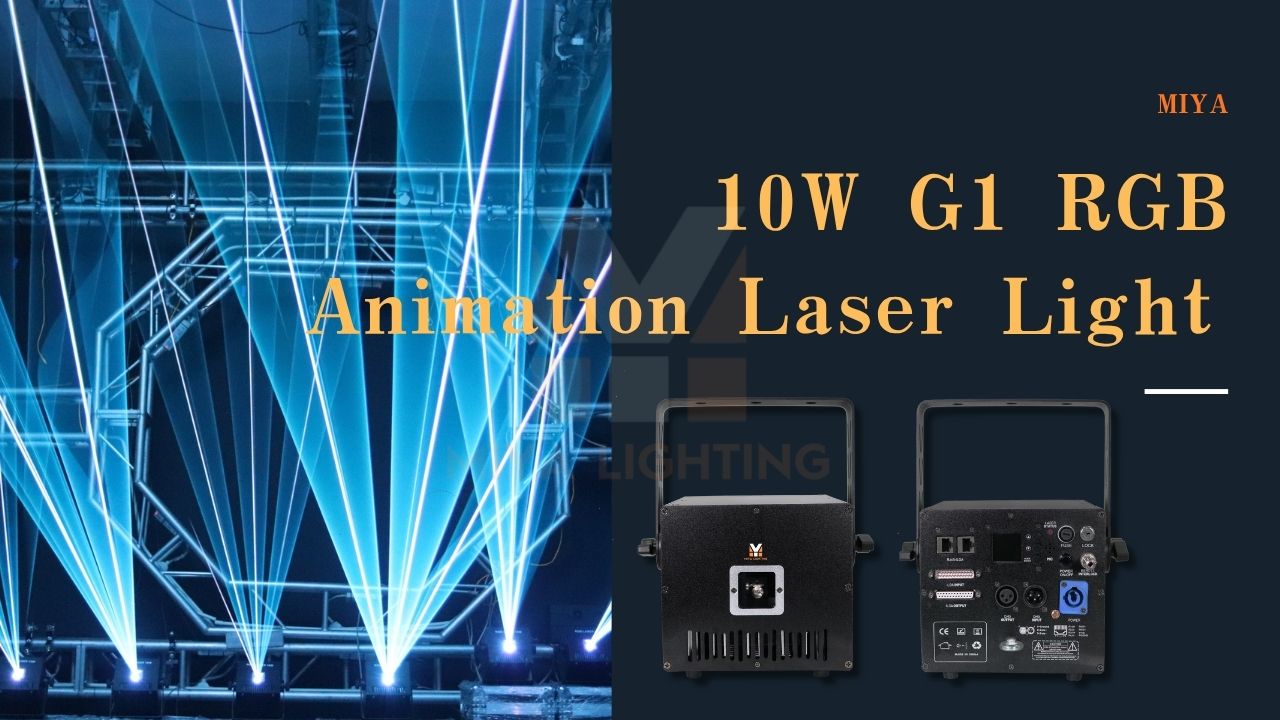
Setting up laser lights is not just about turning them on. Good placement, clean wiring, and the right control method can make a huge difference in how professional your show looks.
Whether you are setting up lasers for a DJ event, wedding, club, or outdoor show, the goal is the same: make the beams visible, keep the system reliable, and create a clean visual experience for the audience.
Start with the Space
Before placing your laser projectors, look at the room or venue first. Think about where the audience will stand, where the stage is, where the beams will travel, and whether you are using haze or fog.
For beam effects, lasers usually work best when mounted above the audience line and aimed across the space, not directly into people’s eyes. For logos, text, or animations, the projector should face a flat surface with a clear line of sight.
The best laser setup always starts with the audience view, not just the equipment position.

Laser Placement for Beam Effects
For clubs, DJs, and live events, mounting laser projectors on a truss or elevated stand usually gives the best result. This lets the beams travel farther and makes the space feel bigger.
If you use haze, the beams will look much stronger. Without haze, even powerful laser lights can look less visible, especially in bright rooms or outdoor spaces.
For larger venues, placing lasers on both sides of the stage can create a wider and more balanced look. Multiple projectors can also help create mirrored effects, tunnels, waves, and more immersive laser scenes.
A great example is the MIYA G1 RGB Animation Laser Light 10W App & DMX Control. Its compact design makes it easy to mount on trusses, lighting stands, or DJ booths without taking up much space. With 10W RGB output and precision scanning, it produces clean beams and sharp animations that work equally well in clubs, wedding venues, and medium-sized event spaces.
Wiring Your Laser Setup
After placement, wiring is the next key step. A single laser can connect directly to a controller, computer, or built-in mode. But if you are using multiple projectors, your wiring plan matters.
Many MIYA laser systems support DMX control, ILDA, app control, auto mode, and sound mode. For simple shows, auto or sound mode can work well. For more precise control, DMX lighting control gives you better timing, scene changes, and synchronization.
A DMX control system is especially useful when you want to control lasers together with other stage lights, moving heads, LED fixtures, or fog machines.
The MIYA G1 is a good example of a flexible setup. It supports app control, DMX, sound activation, and ILDA control, allowing users to start with simple plug-and-play operation and later move into more advanced programming as their needs grow.

Using DMX Control
With DMX control, each fixture has its own address. This tells the controller which light to talk to. Once the address is set correctly, you can use a DMX light control setup to manage color, movement, effects, and timing.
For more advanced users, DMX control software or a DMX control program can make it easier to build scenes, save presets, and run a cleaner show.
If you want to control DMX fixtures properly, always check the channel chart in the product manual. Different laser models may use different channel modes.
Because the MIYA G1 supports both DMX and ILDA control, it can fit into a simple DJ setup or a more sophisticated laser programming workflow.
Wireless DMX Control
For mobile DJs, weddings, and temporary events, wireless DMX control can make setup much easier. It reduces long cable runs and keeps the venue cleaner.
A reliable wireless DMX lighting control system is useful when your lasers are placed far apart or when running cables across the floor is not practical.
Just make sure the signal is stable before the event starts. Always test the full setup before guests arrive.

Daisy Chain Wiring
For multiple fixtures, daisy chain wiring is one of the most common methods. This means connecting the controller to the first laser, then connecting that laser to the next one, and so on.
This setup works well for DMX control lighting because all fixtures share the same signal line while keeping their own addresses.
You can also combine lasers with LED DMX control fixtures in the same setup, as long as the addressing and channel layout are planned correctly.
For example, multiple MIYA G1 units can be connected together through DMX or ILDA, making it easy to build larger synchronized laser displays without overly complicated wiring.
Keep Cables Clean and Safe
Cable management is easy to overlook, but it matters a lot. Loose cables can look messy, create safety risks, and make troubleshooting harder.
Use clean cable routes, secure cables to trusses or stands, and label connections when possible. This is especially helpful for larger shows where multiple lasers, controllers, and power cables are involved.
A clean setup looks more professional and is much easier to manage during the event.

Safety First
Laser safety should always come first. Mount every projector securely, avoid aiming static beams at eye level, and follow local laser safety rules.
Professional laser systems often include safety features such as emergency stop support, signal-loss shutoff, and beam protection. These features help keep the show safer and more reliable.
The MIYA G1 includes professional safety features while remaining easy to operate, making it a popular choice for users who want professional results without a complicated learning curve.

Why the G1 Is a Great Choice for DJs and Event Users
Many users want a laser that delivers professional effects without requiring extensive programming knowledge.
The MIYA G1 RGB Animation Laser Light 10W was designed for exactly that purpose. Its combination of:
- 10W RGB power
- Full-color analog modulation
- Precision scanning
- App, DMX, Sound, and ILDA control
makes it flexible enough for DJs, wedding planners, event organizers, and small production companies.
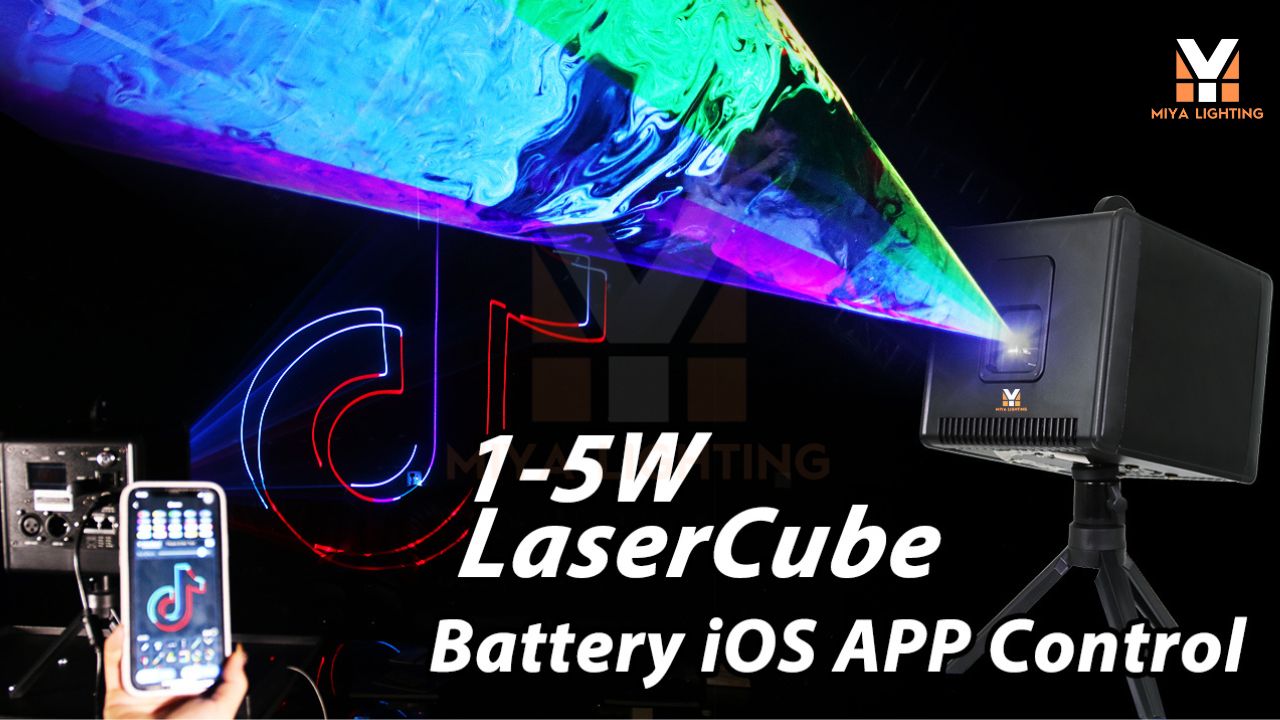
You can control effects directly from your phone, run synchronized DMX shows, or create custom animations through ILDA software. This flexibility allows the G1 to adapt as your setup becomes more advanced.

Final Thoughts
The best laser setup is simple, clean, and planned around the venue.
Good placement improves visibility. Clean wiring improves reliability. Smart DMX lighting control gives you better timing and smoother effects.
Whether you are running a small DJ setup or a large event production, taking time to plan your laser placement, wiring, and control method will always lead to a better show.
With systems like the MIYA G1 RGB Animation Laser Light, you can start with easy app control and gradually move into DMX or ILDA programming as your experience grows.
The right placement, the right wiring, and the right laser can turn a good show into a great one.


Leave a comment
This site is protected by hCaptcha and the hCaptcha Privacy Policy and Terms of Service apply.