
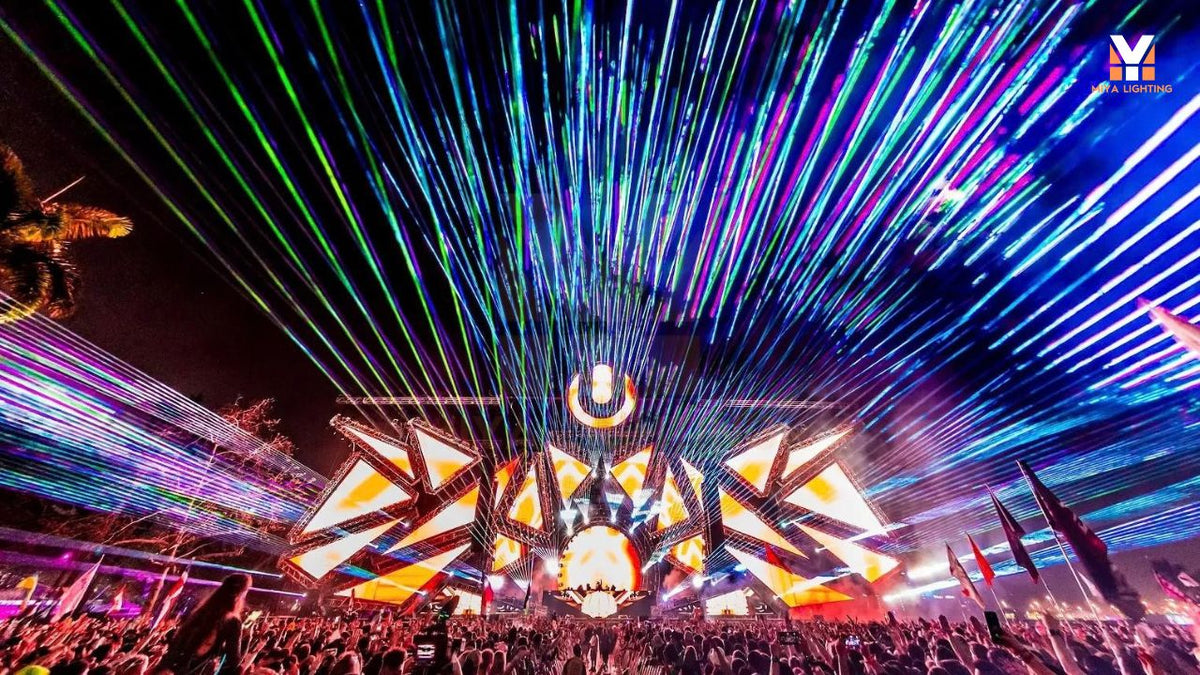
There's something unforgettable about watching colorful laser beams cut through the night at an outdoor concert, festival, or special event.
But creating your own outdoor laser show involves more than buying a powerful laser projector and pointing it toward the sky.
You need the right equipment, compatible software, a reliable control connection, and a safe projection plan.
If you're new to professional laser shows, terms like FB4, Ethernet, QuickShow, and BEYOND can sound complicated. The good news is that once you understand how the pieces work together, the overall process becomes much easier to follow.
Here's what you need to know before building your first outdoor laser setup.
1. What Equipment Do You Need for an Outdoor Laser Show?
A professional outdoor laser show typically starts with five essential components:
- A professional RGB laser projector suitable for outdoor use
- A computer capable of running compatible laser show software
- A laser control interface, such as Pangolin FB4
- Ethernet networking equipment for supported network-based setups
- A properly planned projection area with appropriate laser safety measures
The projector produces the visible laser effects, while the computer and control system determine what it displays.
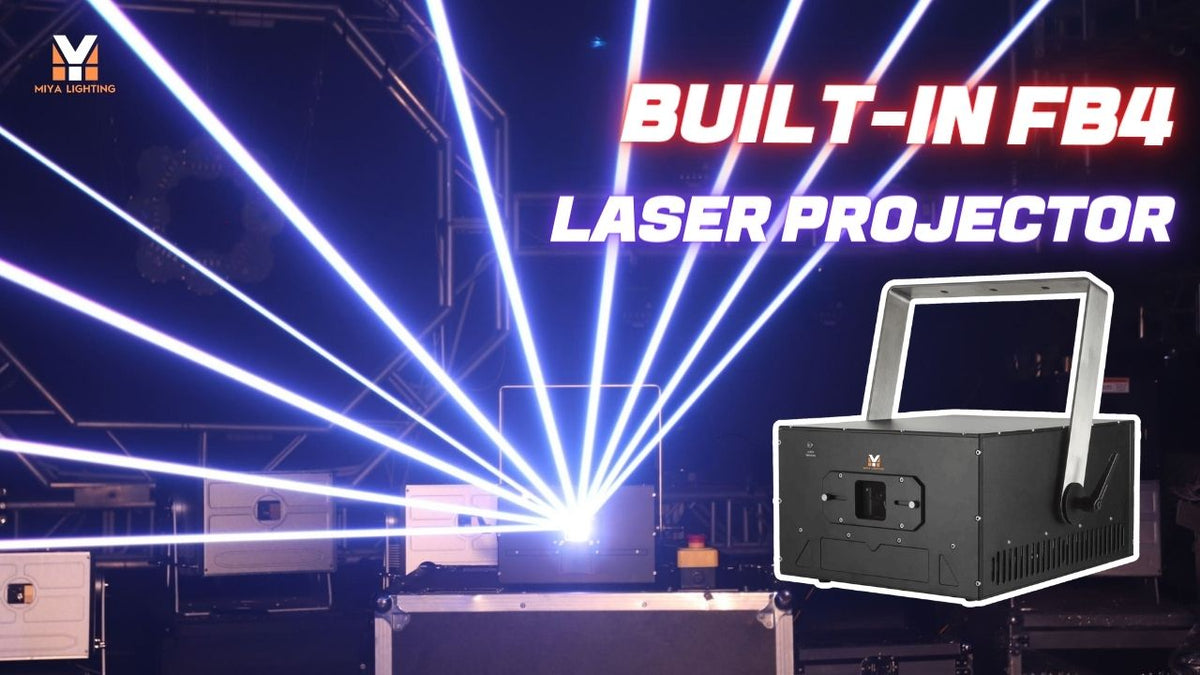
For example, a projector with built-in FB4 can simplify the setup by integrating the laser control hardware into the fixture.
That means fewer external devices to manage when you're preparing for an event.

2. Choose the Right Outdoor Laser Projector
Not every laser projector is suitable for outdoor use.
Indoor laser lights may work well in clubs or event halls, but outdoor installations introduce rain, dust, changing temperatures, and greater projection distances.
Look for an outdoor laser projector with an appropriate environmental protection rating, suitable output, and professional control compatibility.
RGB laser output is another consideration.
A full-color projector combines red, green, and blue laser sources to create different colors, animations, and visual effects.
Power matters, but wattage alone doesn't determine how impressive a show will look. Beam divergence, scanning performance, ambient lighting, and projection distance also affect the result.
For larger professional applications, a projector such as the MIYA MY5-F Series 18W RGB Laser Light offers RGB output and integrated FB4 control in an outdoor-oriented design.
3. Connect Your Computer to an FB4 Laser Projector
This is one of the most common questions from first-time buyers.
How does the computer actually communicate with the laser projector?
With a compatible FB4 laser projector, the connection can use Ethernet networking.
A typical setup looks like this: Computer → Ethernet Network → Built-in FB4 → RGB Laser Projector
The computer runs your laser show software.
The Ethernet network carries the control data to the FB4 hardware, which drives the projector's laser output.
Depending on your setup, the connection may use a direct compatible network link or suitable networking equipment.
You'll still need a separate power connection for the projector.
Follow the manufacturer's network configuration instructions and verify that your software recognizes the correct device before operating the laser.

4. Get Started with Pangolin QuickShow or BEYOND
Once the hardware is connected, you'll need software to create and control your outdoor laser show.
Two well-known options are Pangolin QuickShow and Pangolin BEYOND.
QuickShow: A Starting Point for Laser Programming
QuickShow provides tools for working with laser graphics, animations, and live show cues.
It's useful for users who want to build a show without immediately learning a more advanced programming environment.
You can explore supported effects, organize cues, and prepare visual sequences for your event.
BEYOND: More Advanced Show Control
BEYOND is designed for more complex laser show production.
Depending on the edition and license, it provides additional programming, timeline, and show-control capabilities.
For experienced operators working with multiple projectors or detailed event sequences, those tools can be valuable.
Always confirm which software licenses and features are included with your FB4 hardware.
5. Create Your First Laser Show Sequence
Once your projector is connected and your software is configured, start with a simple show concept.
You don't need to build a complicated animation for your first project.
Choose a few graphics or effects that fit the event's theme.
For a concert, you might prepare geometric animations and color changes.
For a festival, you could design a sequence that complements the stage lighting.
For a commercial event, a logo or short animated message may be more appropriate.
Use the software to organize your selected cues into a logical sequence.
Start with a small number of effects, test how they appear on the intended projection surface, and refine the timing.
For music-synchronized shows, use the supported timing and control features of your software rather than assuming that every effect will automatically follow the beat.

6. Plan the Projection Area Before the Show
A successful outdoor laser show depends heavily on where the laser effects are projected.
A building facade, designated screen, or properly engineered beam termination area may provide a more controlled environment than unrestricted open-air projection.
Consider the viewing angle, projection distance, nearby structures, and surrounding lighting.
You should also think about how the audience will see the effects.
Laser graphics projected onto a suitable surface create a different experience from aerial beam effects.
Outdoor beam visibility can depend on atmospheric conditions, but fog or haze should never be used as a substitute for safe beam placement.
Most importantly, never assume that open sky is an acceptable projection target.
7. Follow Outdoor Laser Safety Requirements
Outdoor laser shows require careful planning and, in many cases, professional oversight.
In the United States, public laser displays may be subject to FDA requirements, and outdoor operations that could affect navigable airspace may require FAA coordination or authorization.
Never direct hazardous laser beams toward people, vehicles, aircraft, or uncontrolled areas.
Use appropriate beam termination, secure mounting, access controls, emergency shutdown procedures, and other measures identified through a proper safety assessment.
A qualified laser show professional can help determine the applicable requirements before the equipment is operated.
Professional laser software provides control tools, but it does not replace a safe show design.

8. Why Choose the MIYA MY5-F for Outdoor Laser Shows?
If you're building a professional outdoor laser show setup, the MIYA MY5-F Series 18W RGB Laser Light is worth considering.
It combines several features that can simplify a software-controlled workflow:
- 18W RGB laser output for professional show applications
- Built-in FB4 control hardware to reduce reliance on a separate external interface
- Ethernet connectivity for compatible network-based control
- Pangolin QuickShow and BEYOND compatibility for programmed graphics and effects
- RGB analog modulation for full-color visuals
- Outdoor-oriented construction for suitable installations
For event professionals, the integrated FB4 hardware is especially useful.
Instead of building a setup around a separate controller, you can use a projector designed to work within a compatible Pangolin control system.
That can make transport, setup, and system planning more convenient.
Ready to Build Your Outdoor Laser Show?
Creating an outdoor laser show doesn't have to start with a complicated equipment list.
Begin with a suitable projector, understand how FB4 connects to your computer, choose the right Pangolin software, and develop a simple sequence for a controlled projection area.
As your experience grows, you can explore more advanced animations, multi-projector setups, and programmed show effects.
The MIYA MY5-F 18W RGB Laser Projector brings together professional RGB output, built-in FB4, and Ethernet connectivity for users who want a more integrated laser show system.
Explore the MIYA MY5-F Series 18W RGB Laser Light and discover how it can fit into your next outdoor laser project.

Leave a comment
This site is protected by hCaptcha and the hCaptcha Privacy Policy and Terms of Service apply.