
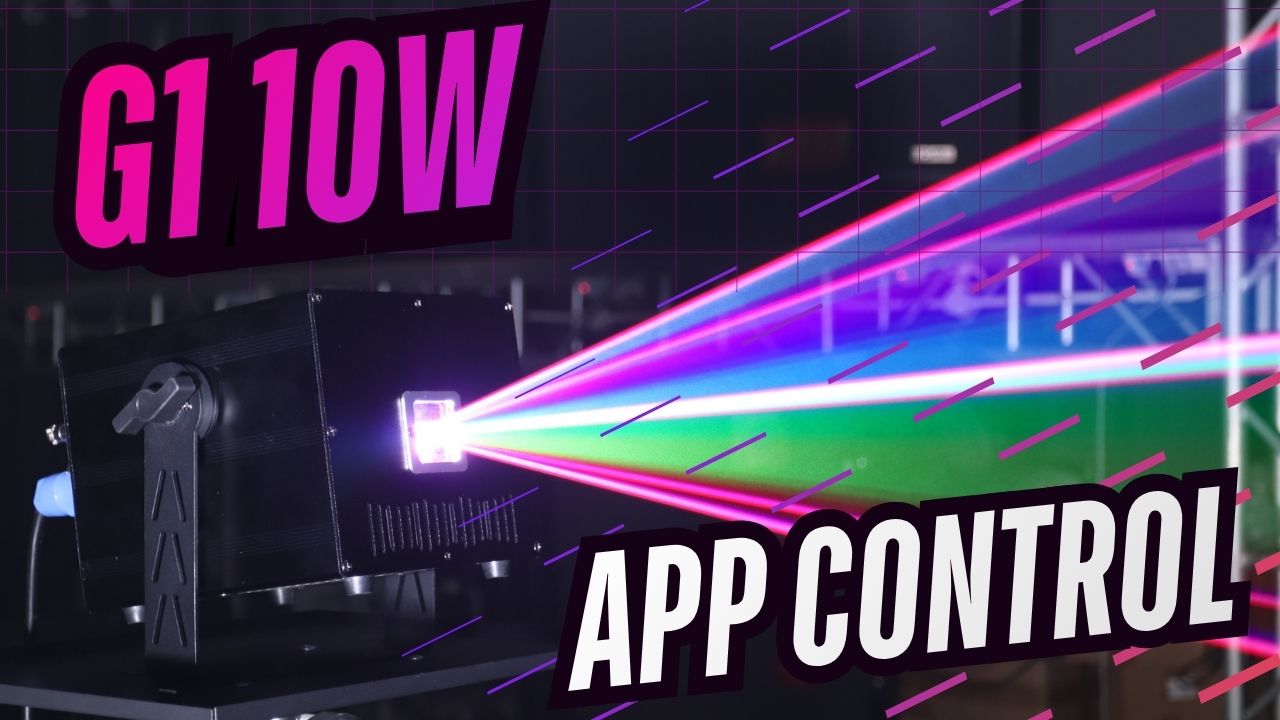
Buying your first animation laser light can feel more complicated than expected.
You start looking for a better lighting solution for your DJ setup, wedding party, private event, or small venue, and suddenly you see terms like DMX, ILDA, Auto mode, Master-Slave, scanning speed, and laser programming.
For many first-time buyers, the biggest question is not “How powerful is the laser?”
It is: “Can I actually use it without being a lighting expert?”
That is exactly where the MIYA G1 RGB Animation Laser Light fits.
Designed for DJs, event hosts, wedding professionals, and indoor entertainment spaces, the MIYA G1 gives beginners an easy way to create impressive laser effects while still offering professional control options for future upgrades.
You can start with simple app control, use automatic effects for quick events, and move into DMX512 or ILDA control when your lighting setup grows.
A good first animation laser light should not force you to learn everything on day one. It should help you create better shows immediately and give you more possibilities later.
Start Simple: Control Your Laser with an App
For many beginners, the first concern is setup.
They do not want to spend hours programming before their first event. They want to connect the laser, create effects, and make the room look better.
That is why app control is such an important feature.
With the MIYA G1, beginners can start with phone-based control instead of buying a lighting console immediately. This makes it easier for mobile DJs, wedding DJs, and private event hosts to adjust effects quickly during a show.
Imagine preparing for a wedding after-party. Instead of carrying a complicated lighting system, you can start with simple animation effects, adjust colors, change patterns, and create a more personalized atmosphere.
For birthday parties, private events, and small venues, app control removes the biggest barrier: complexity.
You do not need to become a lighting programmer before enjoying your first laser show.

Use Auto or Sound Mode for Quick Events
Not every event needs a fully programmed lighting show.
Sometimes you just need the room to feel energetic.
Auto mode is perfect for users who want fast results. Turn on the animation laser light, choose an effect style, and let the fixture create movement throughout the event.
Sound mode is another useful option for DJs and party hosts. Instead of manually changing every effect, the laser can react to the music and create a more dynamic feeling on the dance floor.
This makes the MIYA G1 a practical choice for:
- Mobile DJ performances
- Birthday parties
- Wedding after-parties
- Small bars and lounges
- Private celebrations
For beginners, these simple modes make the first experience much easier.
For experienced users, they are also useful when you need a fast setup before a show starts.
Grow Your Setup with DMX Control
Starting simple does not mean staying limited.
Many DJs begin with basic control and later build a larger lighting system.
That is where DMX512 becomes valuable.
When your setup includes moving head lights, LED fixtures, strobes, or other stage lighting equipment, DMX allows your lights to work together as one system.
Instead of changing every fixture separately, you can create coordinated scenes:
- Intro lighting for guest arrival
- Energy changes during the DJ set
- Special moments during wedding events
- Final show effects
The MIYA G1 is designed to grow with your needs. A beginner can start with simple controls, while a more advanced user can integrate it into a professional DJ lighting setup.

Move to ILDA for Professional Laser Programming
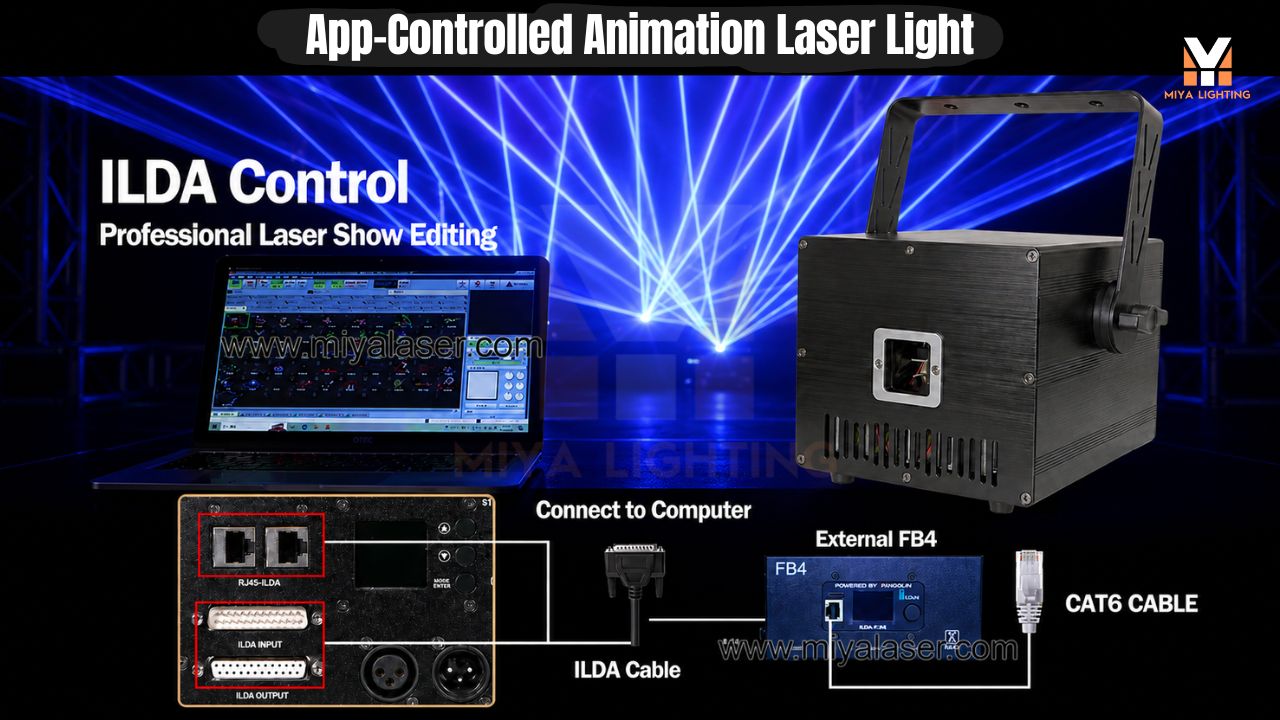
For users who want deeper creative control, ILDA opens another level of possibilities.
ILDA is commonly used with professional laser software workflows for creating more customized content, including graphics, animations, and programmed laser scenes.
This is where the MIYA G1 becomes more than a beginner laser.
A DJ starting with app control today may later create:
- Custom logos
- Event graphics
- Animated patterns
- Professional laser sequences
Advanced users can connect their laser workflow with professional software systems and create more detailed shows.
The important thing is that beginners do not need to start here.
The best learning path is: Start with App → Learn Auto/Sound → Upgrade to DMX → Explore ILDA
Why MIYA G1 Is Beginner-Friendly but Not a Toy
There is a big difference between an easy-to-use laser and a basic toy light.
A toy light may be simple, but it often becomes limiting after a few events.
A professional animation laser light should give you room to improve.
The MIYA G1 combines beginner-friendly operation with professional features. New users can enjoy quick effects without complicated programming, while DJs and event professionals can expand their setup over time.
This makes it suitable for people who are buying their first serious laser light but do not want to replace it after only a few events.

Choose a Laser That Grows with You
The biggest mistake first-time buyers make is choosing equipment only for today.
A good lighting investment should work for your next event, your next client, and your next upgrade.
Maybe today you need a simple laser for a private party.
Next month you may use it for a wedding.
Later, you may connect it with DMX and build a larger DJ lighting system.
The MIYA G1 is designed for that journey.
It gives beginners an easy starting point while keeping professional options available when they are ready.
Final Thoughts
Your first animation laser light does not need to be difficult.
The right product should help you create impressive effects quickly, while giving you the ability to grow into more advanced lighting control.
With MIYA G1, beginners can start with simple app control, use Auto or Sound mode for fast events, and move into DMX512 or ILDA when their shows become more professional.
For DJs, wedding professionals, private event hosts, and small venues, the MIYA G1 is not just a first laser.
It is a first step toward building your own complete laser light show.

Leave a comment
This site is protected by hCaptcha and the hCaptcha Privacy Policy and Terms of Service apply.