
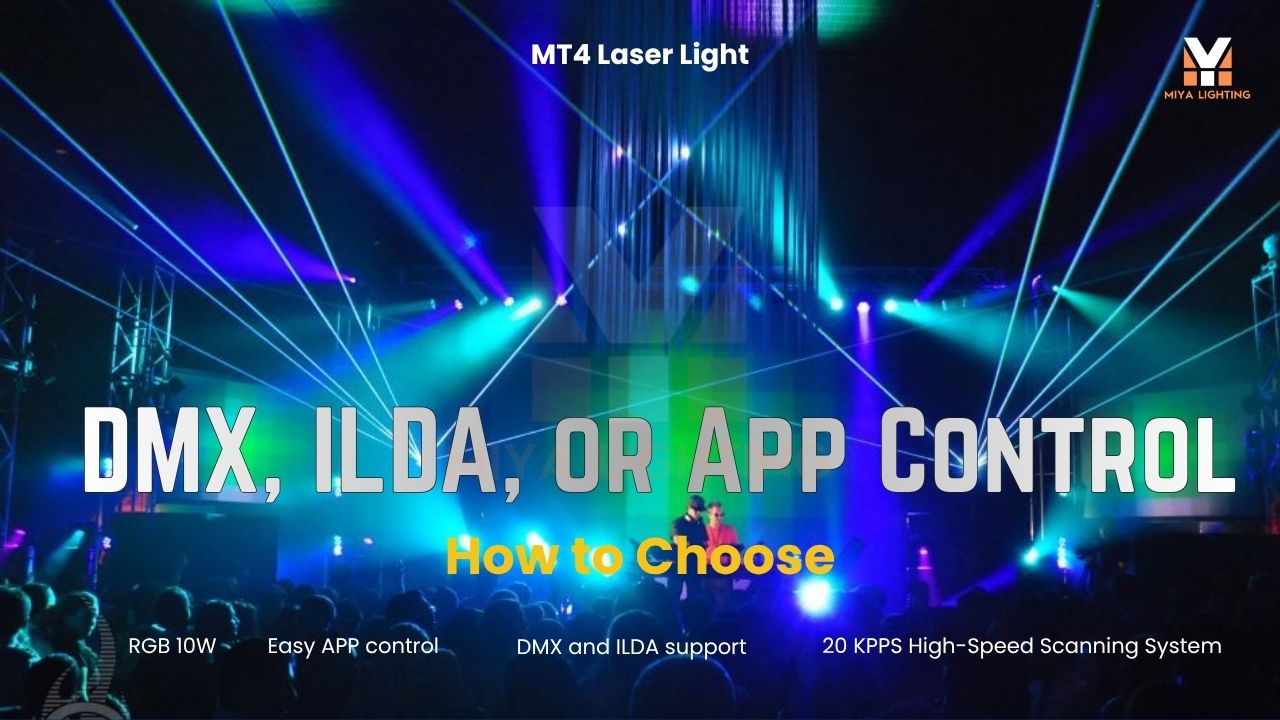
Buying DJ laser lights should feel exciting, not intimidating. But once shoppers see terms like App Control, Auto, DMX512, ILDA, and Master-Slave, the next question is usually simple: “Which mode do I actually need?”
For most mobile DJs, bar owners, wedding DJs, and private event hosts, the best answer is not to start with the most technical option. Start with the mode that fits the room, the event, and your comfort level. The MIYA MT4 10W RGB Animation Laser Light Projector is built for that kind of real-world use. You can run a quick party from a laser light app, let Auto mode handle background movement, connect with DMX when your DJ lighting setup grows, or use ILDA when you work with professional laser software and hardware such as FB3 or FB4-style laser control systems.
In other words, the MIYA MT4 gives you a beginner-friendly start and a professional upgrade path in one indoor laser projector.
Start with the Show You Want
A wedding after-party does not need the same control setup as a nightclub. A birthday party in a private room does not need the same programming as a bar that runs DJ nights every weekend. Before choosing a mode, think about what you need the laser lights to do.
Do you want fast setup from your phone? Do you want the laser to run on its own? Do you want your laser to sync with moving heads, strobes, and other DJ lights? Or do you want to connect the projector to professional laser software for more advanced content?
Once you know the goal, choosing the right DJ laser mode becomes much easier.

App Control: Best for Mobile DJs and Easy Phone Operation
App Control is the easiest place to start. It is perfect for users who want better laser effects without buying a full lighting console on day one.
With a laser light app on iPhone or Android, you can adjust the MIYA MT4 from your phone during the event. This is a real advantage for mobile DJs who set up alone and need to manage music, microphones, clients, and lighting at the same time. You can keep the look soft during guest arrival, bring in brighter RGB movement when the dance floor opens, and switch to stronger animation laser effects when the music peaks.
This mode is also useful for bars, lounges, wedding after-parties, private event rooms, and home party users who want a real laser light show without learning technical programming first.
For many buyers, App Control is the most practical mode because it makes the MIYA MT4 feel easy from the first event.
Auto Mode: Best for Quick Energy
Auto mode is the simplest “set it and let it run” option. It works well when you want the laser to add movement without detailed control.
For casual parties, small bars, or simple DJ setups, Auto mode can keep the room alive while you focus on the music. It is not the most customized option, but it is fast and reliable. Sometimes that is exactly what the event needs.
If you are using the MT4 for a birthday party, a small lounge night, or background visual energy, Auto mode can be enough to create a more exciting atmosphere.

DMX512: Best for Syncing with Other DJ Lights
DMX512 is the mode to choose when you want your laser to work with the rest of your lighting system.
If you already use moving heads, wash lights, strobes, LED bars, or other DJ lights, DMX control helps everything move together. Instead of every fixture doing its own thing, a DMX controller or DMX control software can organize your lighting into cleaner scenes.
This is where the MIYA MT4 becomes a strong DMX laser option. It can fit into a DMX light show for clubs, bars, mobile DJs, and indoor venues that want more repeatable results. You can time lighting changes for introductions, first dances, DJ drops, and high-energy dance sets.
You do not need DMX control on day one. But if your setup is growing, DMX512 helps your laser projector become part of a more professional DJ lighting system.
ILDA: Best for Professional Laser Software Workflows
Yes, your understanding is correct: ILDA is mainly for professional laser software and hardware workflows. It is commonly used when the laser projector connects with external laser control systems, such as Pangolin FB3, FB4, or similar software-and-interface setups.
In simple terms, ILDA is not the easiest mode for a beginner who only wants quick effects from a phone. It is the mode for advanced users who want deeper laser programming through a professional laser control system.
Use ILDA when your setup already includes laser software or when you plan to create more detailed programmed laser scenes. For most mobile DJs and small event users, App Control or Auto mode will feel much easier at the beginning. For professional users, ILDA gives the MT4 a path into more advanced show control.

Master-Slave: Best for Multiple Fixtures
Master-Slave mode is useful when you want more than one laser projector to work together without building a complicated control setup.
In this setup, one unit acts as the main fixture, and the other units follow it. A small club could place two laser lights on both sides of the DJ booth for a wider look. A mobile DJ could use multiple fixtures to make a larger room feel more balanced.
Master-Slave is practical when you want a bigger effect but still want setup to stay simple.
Which Mode Should You Choose?
Choose App Control if you want easy phone operation, fast setup, and flexible effect changes during the night.
Choose Auto Mode if you want quick background movement without programming.
Choose DMX512 if you want the MIYA MT4 to sync with other DJ lights, moving heads, strobes, and club lighting equipment.
Choose ILDA if you are using professional laser software or external laser control hardware such as FB3 or FB4-style systems.
Choose Master-Slave if you want multiple laser projectors to move together with less setup time.
The good news is that you do not have to master every mode immediately. Most buyers can start with App Control or Auto mode, then move into DMX or ILDA as their shows become more professional.
Why the MIYA MT4 Makes Sense
Many shoppers buy their first laser light for one event, then quickly realize they want to use it everywhere: weddings, bar nights, private parties, club events, and indoor stage shows. A laser that only works one way can feel limiting. The MIYA MT4 gives you room to grow.
It is easy enough for first-time users who want app-controlled laser lights, but flexible enough for DJs and venues building a real DMX laser setup. With 10W RGB full-color output, animation effects, multiple control modes, and indoor event performance, it gives your show more movement, more color, and a stronger club-style feel.
Indoor Use Reminder
The MIYA MT4 is designed for indoor use. It works well for clubs, bars, lounges, wedding venues, private event rooms, theaters, and indoor DJ shows. For outdoor events, choose a weather-rated MIYA outdoor laser projector instead.
Final Thoughts
The best DJ laser mode is not always the most advanced one. It is the one that helps you run a better event.
For fast setup, use App Control. For simple background energy, use Auto mode. For a cleaner lighting system, use DMX512. For professional laser software and FB3 or FB4-style workflows, use ILDA. For multiple fixtures, use Master-Slave.
The MIYA MT4 10W RGB Animation Laser Light Projector gives DJs, bars, small clubs, and private event hosts the freedom to start simple and grow into a more professional laser light show over time.

Leave a comment
This site is protected by hCaptcha and the hCaptcha Privacy Policy and Terms of Service apply.