
A great wedding lighting setup should not feel random. It should follow the flow of the night. The best moments usually happen when the lighting changes at the right time: the room softens for dinner, the entrance feels dramatic, the first dance feels personal, and the dance floor comes alive when the party starts.
That is where wedding laser lighting can make a real difference. Instead of using one lighting look from start to finish, couples, DJs, planners, and venues can use laser effects to highlight the most meaningful parts of the reception.
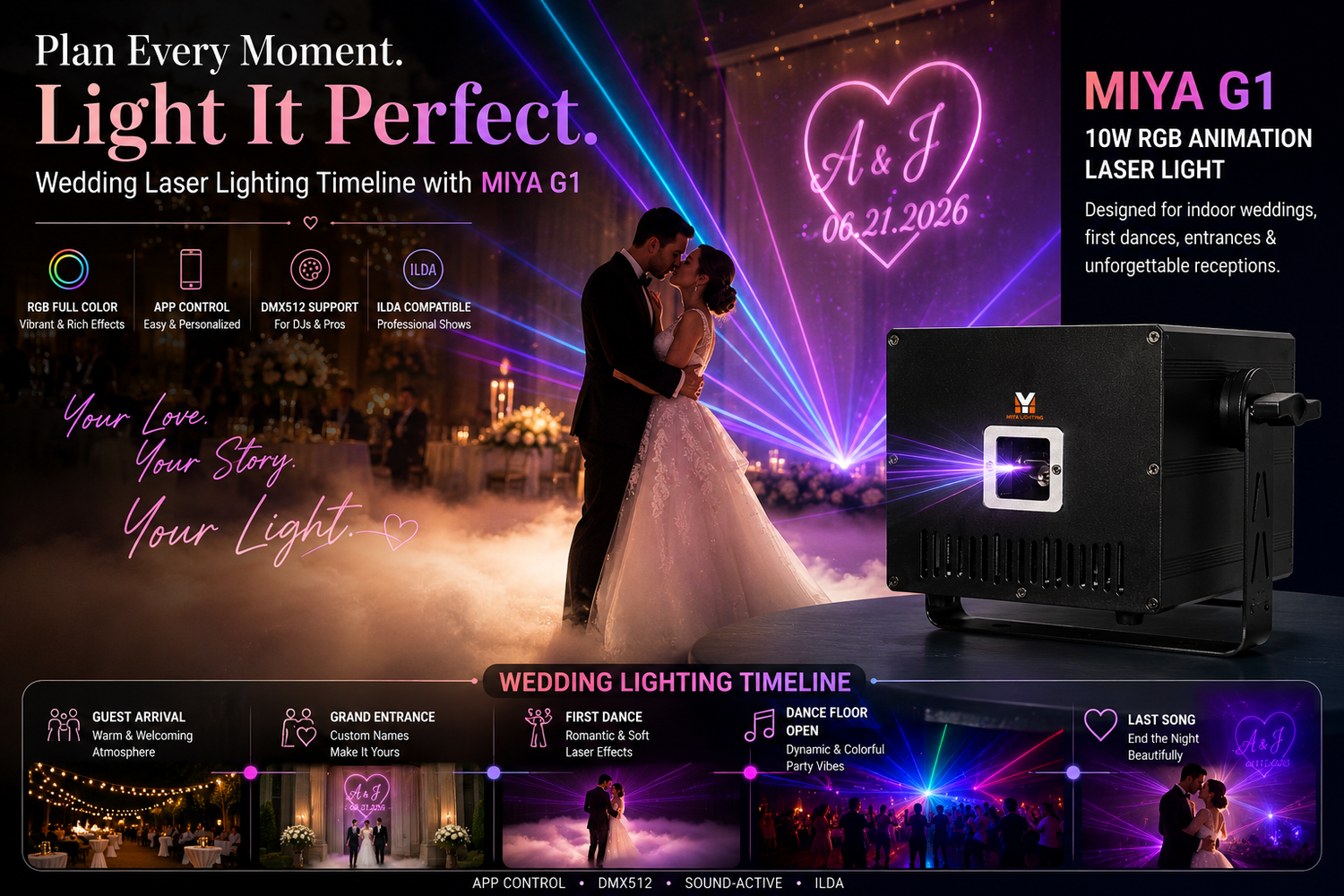
The MIYA G1 RGB Animation Laser Light 10W is designed for indoor wedding receptions, first dances, dance floors, and private event spaces. With App control, DMX, sound mode, and ILDA support, the G1 makes it easier to create custom names, romantic animation, RGB effects, and professional wedding dance floor lights without a complicated setup.

Start Before the Wedding Day
The best time to plan wedding laser lighting is before the reception starts, not during the event. Walk through the venue and look at the room like a lighting designer would.
Where will the couple enter? Where will the first dance happen? Is there a clean wall, ceiling, or backdrop for custom text and laser patterns? Are there mirrors, glass panels, chandeliers, metallic balloons, or shiny decorations that could reflect beams?
The MIYA G1 is best for indoor wedding lights, including hotel ballrooms, banquet halls, reception rooms, private venues, and indoor dance floors. Before the wedding day, decide where the laser will be placed and what surface it will project onto. A little planning makes the final effect look much more polished.
Build a Simple Lighting Cue List
A cue list is just a plan for when each lighting effect happens. It does not need to be complicated. Even a simple wedding can benefit from four or five planned lighting moments.
For example, guest arrival can use a soft background pattern or no laser at all. The grand entrance can use the couple’s names, initials, or a moving beam effect. The first dance can use slow romantic animation. The open dance floor can shift into brighter RGB movement. The final song can bring back the couple’s initials or a soft closing effect.
This kind of timeline makes wedding laser lighting feel intentional instead of random. It also helps the DJ, planner, or venue team know exactly when to use each effect.
Use App Control for Personal Wedding Effects
One of the easiest ways to make wedding laser lighting feel special is to use custom visuals. With App control, the MIYA G1 can create names, initials, dates, simple graphics, or romantic animations from a phone.
This is helpful for couples who want personalized wedding lights but do not want to hire a full production team. A simple “A & J,” a wedding date, or a short message can make the reception feel more customized.
The key is to keep it clean. Avoid too much text or overly busy graphics. In a wedding setting, simple usually looks more elegant.

Coordinate with the DJ
If there is a DJ at the wedding, the laser should work with the music. It should not compete with it.
For the first dance, slower movement usually looks better. For upbeat songs later in the night, stronger RGB effects and sound-responsive movement can make the room feel more energetic. The MIYA G1 supports sound mode, which can be useful during party sections when the lighting needs to follow the beat.
For more advanced setups, DJs can use DMX control to coordinate the G1 with other wedding DJ lights, uplights, moving heads, or stage fixtures. This creates a more professional show without needing too many lights for wedding reception setups.
Think About Photos and Video
Wedding lighting should look good to guests, but it should also look good on camera. Laser effects can add depth to photos and video, especially during entrances and first dances.
Before the event, ask the photographer or videographer where they plan to shoot from. Then test the laser from those angles. Make sure the effect does not cover faces or create harsh lines across the couple.
A soft background effect is usually better than aggressive beams during emotional moments. Save the stronger wedding dance floor lights for the party portion of the night.
Keep Safety Part of the Plan
Laser safety should always be part of wedding setup. Never aim beams directly into guests’ eyes. Avoid face-level projection across the room. Keep the fixture above head height and aim it toward a wall, ceiling, backdrop, or open space above the dance floor.
Also watch out for reflective decor. Mirrors, glass, chrome furniture, metallic balloons, and crystal decorations can bounce laser beams in unexpected directions. Test the setup before guests enter the room.
A safe laser setup usually looks better, too. The effect feels controlled, clean, and professional.

Do You Need Fog or Haze?
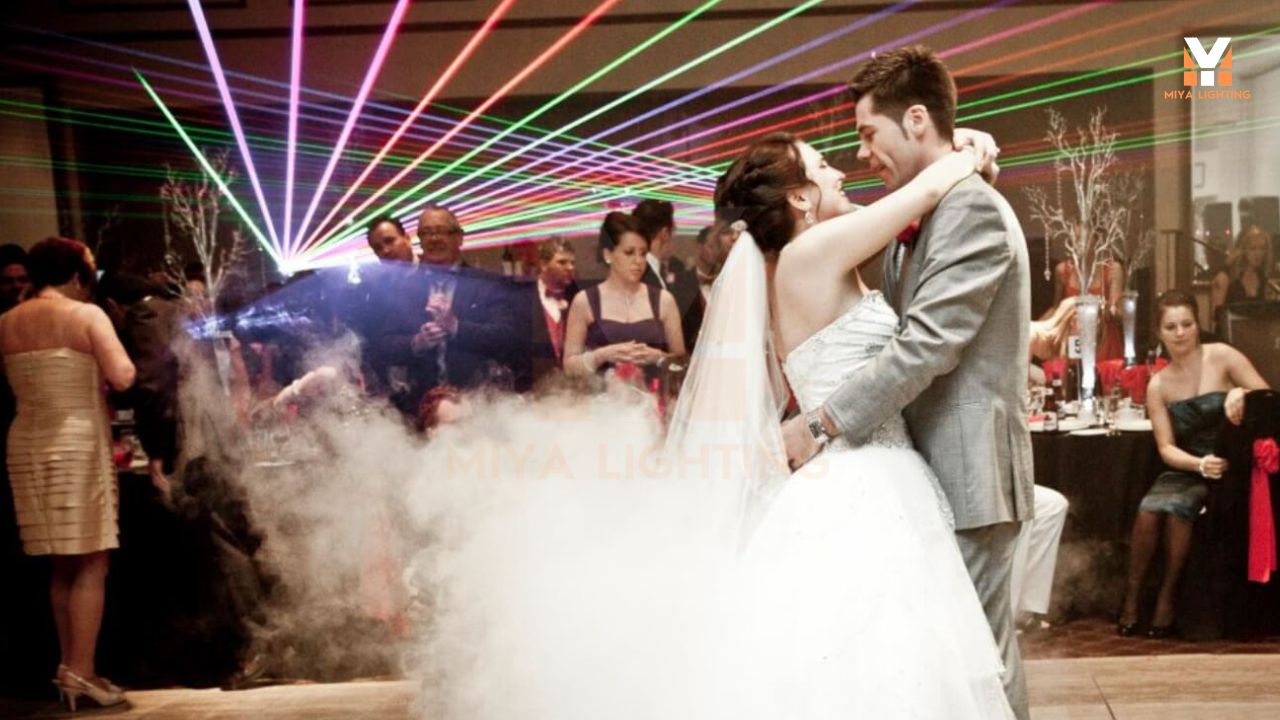
A small amount of haze can make laser beams more visible, but it is not required for every wedding. Some venues do not allow haze or fog because of smoke detectors, so always ask first.
If haze is allowed, use it lightly. Heavy fog can make a room feel crowded and may distract from the couple. For weddings, subtle atmosphere usually works better than a nightclub look.
The MIYA G1 can still create patterns, text, and animation without haze, especially when projected onto a wall, ceiling, or backdrop.
Who Is This Setup Best For?
The MIYA G1 is a good fit for couples who want a more customized reception, DJs who want to offer premium wedding lighting, planners who need flexible indoor effects, and venues that want to upgrade their dance floor package.
It is especially useful when the wedding needs custom names or initials, a clean first-dance visual, a dramatic entrance cue, RGB party effects after dinner, App control for simple operation, and DMX or ILDA options for professional users.

FAQ About Wedding Laser Lighting
What is wedding laser lighting used for? Wedding laser lighting is used to create custom names, romantic first-dance effects, entrance visuals, RGB animation, and dance floor lighting for indoor receptions.
Can the MIYA G1 be used for wedding dance floor lights? Yes. The MIYA G1 can create soft effects for the first dance and stronger RGB movement for the party section later in the night.
Is App control enough for a wedding? For many simple weddings, yes. App control is useful for names, graphics, colors, and basic animations.
Should the DJ control the laser? If a DJ is already managing music and lighting, it is usually best to let them handle the main cues. For simple setups, the app can also work well.
Can the G1 project the couple’s names? Yes. It can create custom text and simple wedding visuals through App control or more advanced control methods.
Is the MIYA G1 for outdoor wedding lights? The G1 is best for indoor use. Outdoor weddings need lighting fixtures designed for outdoor conditions.
Final Thoughts
Wedding laser lighting looks best when it follows the timeline of the night. Instead of using the same effect from start to finish, use the MIYA G1 to support specific moments: the entrance, first dance, dance floor opening, and final song.
With App control, RGB animation, custom text, DMX, sound mode, and ILDA support, the MIYA G1 gives couples, DJs, planners, and venues a flexible way to create wedding lighting that feels personal, polished, and easy to manage.
A good laser effect should not take over the wedding. It should make the right moments feel even more memorable.

Leave a comment
This site is protected by hCaptcha and the hCaptcha Privacy Policy and Terms of Service apply.