
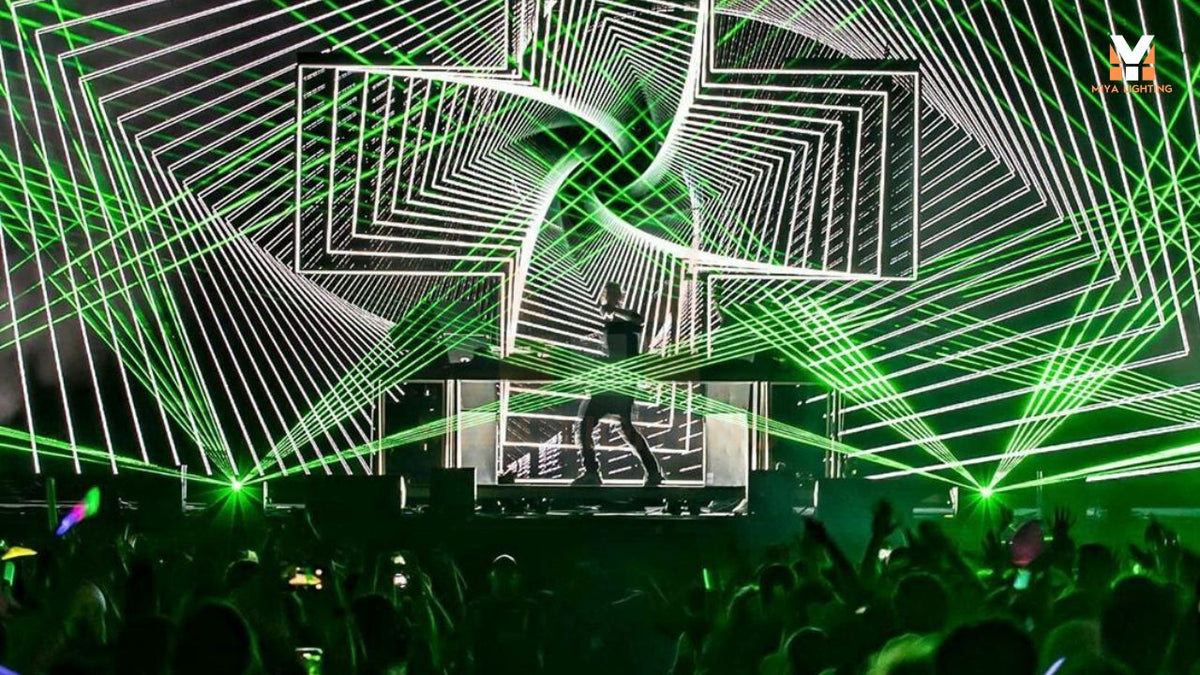
For a mobile DJ, every piece of DJ equipment has to earn its place in the vehicle. Speakers, stands, cables, and a controller already take up space. Adding lighting means more equipment to carry, connect, and pack away after the last song.
A portable laser projector can introduce distinctive effects to your setup in a compact fixture. But weight is only part of the decision. The projector also needs to fit your mounting arrangement, work with your preferred controls, and produce effects suited to the venues you regularly play. Choosing DJ laser lights starts with understanding how they will fit into an entire working gig.
Consider the Complete Transport Setup
A compact housing is useful when you work alone or move equipment through narrow entrances and stairways. However, the fixture’s listed weight does not include everything you might carry. Protective cases, mounting hardware, cables, and additional controls all contribute to the final load.
Compare the projector’s dimensions with your existing cases and lighting arrangement. Allow room for connectors and the ventilation clearances specified by the manufacturer. A fixture that fits into a transport case still needs sufficient operating space once installed.
Your DJ lighting setup should also be manageable at the end of the night. Accessible connections and organized cables help when dismantling equipment in a dim room. Think through loading, installation, operation, and storage before deciding whether a projector is practical for regular bookings.

Choose Effects That Complement Your Existing DJ Lights
Before comparing models, identify what you want to add to your current DJ lights. Wash fixtures establish color across a room, while moving fixtures create changing points of interest. Lasers can contribute sharply defined lines, geometric patterns, and moving graphics.
Airborne beams and surface projections create different experiences. Haze can make a laser beam more visible in the air, subject to venue permission and operating requirements. Projected graphics need a suitable surface, where texture, color, and surrounding light influence the image. Footage recorded in haze will not represent the same result in clear air.
When evaluating laser lights for DJs, request demonstrations of the effects you actually intend to use. Watch how patterns move, how clearly graphics appear, and how the footage was recorded. A large pattern library is useful only when the available effects suit your performances.
Select Controls That Fit Your Workload
During a booking, you may be managing music, announcements, requests, and the event schedule. Your DJ laser projector should fit that workload.
Automatic playback can suit situations where you want built-in effects to run without selecting each change. Sound-active operation responds to detected sound, but it should not be confused with a precisely programmed show synchronized to individual tracks.
DMX is worth considering if your existing DJ lighting system already includes a compatible controller. Request the fixture’s DMX channel chart before purchasing. Check how you can select effects, adjust supported settings, and stop output when required.
If you want to create a personalized DJ laser light show, confirm the content capabilities separately. Selecting built-in patterns does not necessarily mean you can upload client logos, custom text, or animations. Those functions depend on the projector’s supported interfaces and control equipment.

Match the Projector to Your Regular Venues
Choosing DJ laser lights by wattage alone overlooks several factors that influence the result. Ambient brightness, projection distance, image size, and atmospheric conditions all affect what viewers see.
Think about your typical bookings. A dim indoor venue presents different conditions from a brightly illuminated function room. Share representative venue photographs and approximate distances with the supplier, then ask for demonstrations relevant to those conditions.
A portable laser projector also needs to fit the complete equipment budget. Include protective transport, secure mounting, compatible controls, and any required safety equipment. These practical costs help you compare working setups rather than individual fixtures in isolation.
Plan for a Controlled Installation at Every Event
Mobile work means reassessing the installation whenever the venue changes. Confirm mounting requirements, ventilation, available space, and cable routes before the event. Indoor-rated equipment needs an appropriate indoor operating environment.
Follow the manufacturer’s laser safety instructions and applicable local requirements. Plan a controlled beam path, prevent direct exposure to people, and account for mirrors and other reflective surfaces. Moving patterns and sound activation do not make audience exposure safe.
Discuss the proposed arrangement with the venue before arrival. Suitable installation positions and operating conditions determine whether your DJ laser lights are appropriate for a particular booking.

Where the MIYA T2 Fits into a Mobile DJ Setup
The MIYA T2 is an option to evaluate if you want a compact indoor RGB projector with built-in effects and several control modes. Its listed dimensions are 20 × 23.5 × 17 cm, with a net weight of 3.3 kg. These measurements give you a starting point for checking transport space and mounting compatibility.
The product page lists 3W and 5W versions, 128 built-in patterns and animations, and 20KPPS scanning. Automatic, sound-active, DMX512, and master-slave modes offer different ways to operate the fixture within a planned setup.
For mobile DJs, the next step is to compare those features with actual working needs. Review effect demonstrations, check the DMX functions, and confirm the specifications of the version you intend to order. If you want several units to operate together, ask how their supported linking modes work before planning the show.
Choose a Portable Laser Projector for Your Working Routine
The right lighting upgrade should be manageable to transport and useful at the venues you regularly play. Give the projector a clear role in your setup, whether that is adding geometric effects, projected graphics, or a controlled beam display.
Explore the MIYA T2 RGB DJ laser projector, or contact MIYA with your venue details, preferred effects, and existing lighting controller to discuss a suitable configuration.

Leave a comment
This site is protected by hCaptcha and the hCaptcha Privacy Policy and Terms of Service apply.